How RAM Works
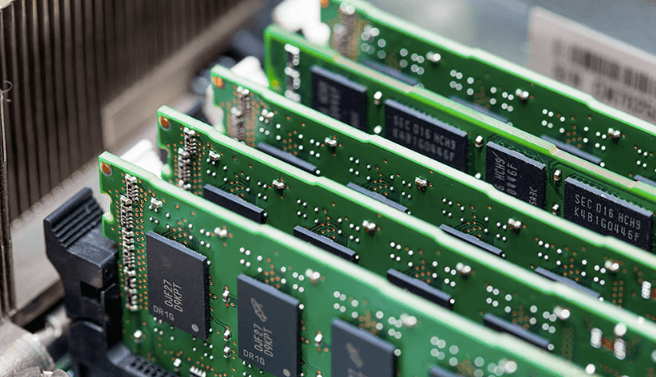
RAM provides a fast, transient workspace for the CPU, storing active data and instructions. Modules, slots, and timings govern organization and access delays. The memory bus links the processor to modules via controllers that orchestrate fetches and stores across banks. Upgrades alter capacity, speed, and latency, changing parallelism and bandwidth. Each change reshapes sustained data flows and responsiveness, leaving questions about how scheduling and contention evolve as workloads shift. The next step clarifies where performance gains really come from.
What RAM Does for Your Everyday Apps
RAM serves as the fast, short-term workspace for a computer, holding data and instructions that the processor actively uses. In everyday apps, this memory enables rapid task switching and responsive interfaces by supplying cached data and code paths. Efficient RAM power usage minimizes heat and energy draw, while awareness of memory leaks ensures sustained performance, preventing gradual slowdowns and resource exhaustion.
How Memory Is Organized: Modules, Slots, and Timings
Memory is organized into discrete modules installed in motherboard slots, with each module containing multiple memory chips that collectively present a usable capacity and bandwidth to the system.
Memory modules define slot configurations and channel interleaving, influencing throughput and latency.
Timings budgets balance CAS, RAS, and prep delays across channels, enabling predictable performance.
Proper configuration optimizes bandwidth, capacity, and power efficiency.
How the CPU Talks to RAM: Fetch, Store, and the Memory Bus
A CPU retrieves and updates data by placing fetch and store requests on a dedicated memory bus, where each operation traverses a defined sequence of signaling, timing, and buffering steps.
The CPU RAM handshake coordinates command, address, and data phases, ensuring coherence across devices.
Timing constraints and arbitration govern access, while memory bandwidth measures sustained transfer rates during concurrent fetches and stores.
How Upgrades Change Performance: Capacity, Speed, and Latency
Upgrades to capacity, speed, and latency directly reshape how memory subsystems feed the processor, altering both bottlenecks and throughput.
Increased capacity reduces contention and queueing, enabling sustained data streams.
Higher memory speed lowers access times, while reduced memory latency improves critical path timing.
Together, upgrade capacity, memory latency, and speed recalibrate performance, expanding parallelism, diminishing stalls, and refining overall system responsiveness.
Frequently Asked Questions
How Does RAM Differ From Storage Like SSDS and HDDS?
RAM vs flash memory: RAM is volatile, enabling fast, temporary data access, while SSD/HDD storage is persistent. RAM offers low latency and high bandwidth; storage provides long-term retention, larger capacity, but slower access. The distinction governs system performance and freedom.
What Is RAM Voltage, and Why Does It Matter?
Voltage stability governs RAM performance; RAM voltage matters for stability, durability, and data integrity. The statement uses one figure of speech at start: “RAM voltage is the orchestra.” It covers RAM voltage stability, memory controller influence, ECC implications, etc.
Can RAM Failures Mimic CPU or GPU Problems?
RAM faults can mimic CPU, GPU issues or misreport memory errors, timing faults, corruption symptoms. In analysis, these faults may present as driver crashes or stalls, while system reporting remains inconsistent, complicating diagnosis and exposing misattributed hardware or software failures.
How Does RAM Prefetching Improve Latency in Practice?
Prefetching behavior reduces observable latency by overlapping memory fetches with execution, masking stalls as requests are brought forward. The theory holds: latency masking relies on streamlining access patterns, maintaining throughput, and hiding DRAM bank conflicts through speculative preloads.
See also: buzztricks
What Are ECC Vs Non-Ecc RAM and Their Trade-Offs?
ECC RAM vs non ECC RAM: ECC provides error detection and correction, improving memory reliability at the cost of higher power, latency, and price; non-ECC favors lower cost and faster operation, trading reliability for memory capacity and affordability.
Conclusion
RAM serves as the fast, short-term workspace, buffering data the CPU actively uses. From modules and slots to timings, organization determines access efficiency. The memory bus, controllers, and channels coordinate fetches and stores, while capacity and latency shape sustained throughput. Upgrades raise parallelism and bandwidth, reducing contention during multi-application workloads. As systems scale, do higher speeds and larger memories translate to proportional gains or diminishing returns for everyday tasks? Precision in configuration remains the key to predictable performance.